Your cart is currently empty!


Find the best wordpress taxi templates for your business
Checkout our taxi template with a intergrated booking form and many other features.
Using a taxi WordPress template (instead of starting from scratch) makes a huge difference when building your taxi, limo, or chauffeur business website.
-
Sale!
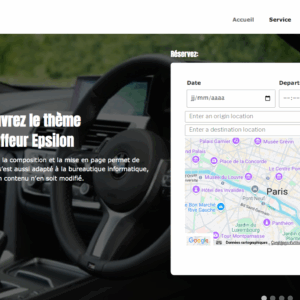
Taxi wordpress template – Epsilon
Original price was: $ 79,90.$ 59,90Current price is: $ 59,90. Add to cart -
Sale!
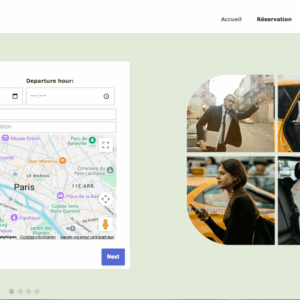
Taxi wordpress template – Gamma
Original price was: $ 79,90.$ 59,90Current price is: $ 59,90. Add to cart -
Sale!
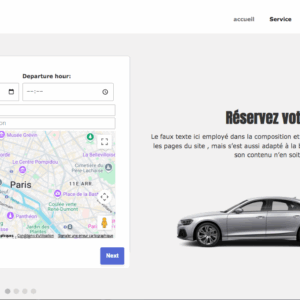
Taxi wordpress template – Sigma
Original price was: $ 79,90.$ 59,90Current price is: $ 59,90. Add to cart -
Sale!
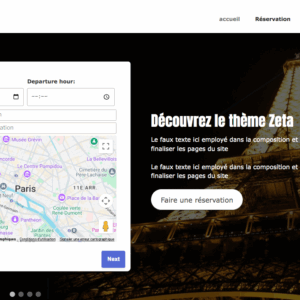
Taxi wordpress template – Zeta
Original price was: $ 79,90.$ 59,90Current price is: $ 59,90. Add to cart
Pre-Built Taxi Features
- Templates come with ready-made booking forms, fare calculators, and vehicle listings.
- Some include trip distance/time estimators, maps, and payment gateways (PayPal, Stripe, WooCommerce).
- Saves time compared to coding or buying separate plugins.
Professional, Industry-Specific Design
- Layouts are optimized for taxi and transport businesses:
- Call-to-action buttons like “Book a Ride” or “Request a Taxi”.
- Service pages for airport transfers, hourly rides, city tours, chauffeur services.
- Fleet showcase pages to highlight your cars.
- Creates instant credibility with customers (looks like Uber, Lyft, or professional cab operators).
Faster & Cheaper Launch
- No need to hire a web designer or developer to start from scratch.
- One-click demo import lets you set up your site in hours, not weeks.
- Updates and compatibility with WordPress core and plugins are handled by the template developers.
Mobile-First & SEO Optimized
- Taxi customers often book from smartphones—templates are responsive by default.
- Built with SEO-friendly structure (Google loves fast, mobile-ready taxi sites).
- Integration with Google Maps helps customers find your pickup/drop-off areas.
Customizable for Branding
Even though it’s a template, you can easily change, Colors, logo, fonts → match your brand. Content blocks → highlight your service area, rates, driver team, testimonials. Booking flow → from simple contact forms to advanced fleet booking systems.
Scalability
Start with a simple booking form → later upgrade to full dispatch, driver dashboard, SMS alerts, online payments. Many taxi templates integrate with WooCommerce or third-party booking plugins for growth.
When to Create a Taxi Website
At Business Launch
- If you’re starting a new taxi or chauffeur service, a website gives instant credibility.
- Customers often search “taxi near me” or “airport transfer [city]”—you need to be online to show up.
- Helps compete with ride-hailing apps (Uber, Lyft, Bolt) by emphasizing local reliability, personal service, or set fares.
When Expanding Your Service Area
- If you’re moving beyond word-of-mouth (new neighborhoods, airports, or cities), a website helps attract new passengers.
- You can target local keywords (“taxi in [city/area]”) and run Google Ads or SEO campaigns.
When Adding Online Booking
- As demand grows, phone calls/texts aren’t enough.
- A website with booking forms, fare calculators, or online payments saves time and increases convenience for passengers.
- Many templates also integrate driver dashboards and dispatch systems when you scale.
When Competing Against Apps
- If ride-hailing apps are taking your customers, a website helps highlight:
- Fixed rates (no surge pricing).
- Trusted local drivers.
- Corporate accounts, tours, school runs, or medical transport (services apps don’t always cover).
Also when Professional Image is Needed
If you’re targeting airports, hotels, business travelers, or VIP clients, a website builds trust. A polished site with fleet photos, driver bios, and testimonials can win contracts.
When Expanding Beyond Just Taxi
If you add limo service, car rentals, parcel delivery, or shuttle buses, a website lets you present all services in one place. Easy to upsell and cross-promote.
Rule of thumb:
Create a taxi website as soon as you want to attract customers beyond personal referrals or phone calls. It’s not just for bookings—it’s your 24/7 online storefront.
Would you like me to outline a step-by-step roadmap for creating a taxi website (from domain to launch) so you know exactly when and how to get started?
Choosing the right taxi WordPress template can make or break your website. Here’s a clear guide to help you pick the best one for your business:
Define Your Business Needs
Ask yourself:
- Do you just need a basic website (info, phone number, contact form)?
- Or do you need a full booking system (online payments, fare calculator, driver dashboards)?
👉 If simple: a lightweight theme works.
👉 If advanced: pick a template with booking plugins built-in.
Look for Taxi-Specific Features
The best taxi templates include:
- Online booking form (instant ride requests).
- Fare calculator (distance, time, flat rates).
- Fleet showcase (cars, limos, vans).
- Payment integration (PayPal, Stripe, WooCommerce).
- Google Maps integration (pickup/drop-off).
- Multi-language support (for tourists or big cities).
Check Mobile Experience
- Most customers will book a cab on their phones.
- Test the demo on your mobile: is booking easy in 2–3 clicks?
- Look for fast loading speed—slow websites lose bookings.
Match Branding & Style
- Luxury limo service? → Choose elegant templates like Limo King or AutoRide.
- City taxi fleet? → Choose practical, bold templates like GetCab or CityCab.
- Ride-hailing style app? → Look for clean, modern designs like Taxico or SimonTaxi.
Budget & Support
Free templates (like Taxi by Colorlib) → good for startups with no budget, but limited features. Premium templates ($50–$80) → usually include lifetime updates, premium plugins, and booking systems. Check reviews and support—are updates regular? Is customer service responsive?
Scalability
Think long-term: Will you add more vehicles, drivers, or services (like parcel delivery, airport shuttles)? If yes, choose a template that integrates with WooCommerce or advanced booking plugins (like SimonTaxi).
Why a Booking Form Matters for Your Taxi Website
Convenience for Customers
- Customers can book a ride anytime, anywhere without calling.
- Perfect for late-night, airport, or international passengers who may not want to call.
- Reduces lost business when you miss phone calls.
Professional Image
- A structured booking form looks more trustworthy than just a phone number.
- Shows that your company is organized and modern (competing with Uber/Lyft standards).
- Builds confidence, especially with corporate or hotel clients.
Accurate Information Collection
- Ensures you get all key details upfront:
- Pickup & drop-off location
- Date & time
- Number of passengers/luggage
- Vehicle preference (standard, SUV, limo)
- Payment method
- Prevents mistakes compared to taking notes over the phone.
Increases Bookings & Revenue
- Customers are more likely to book if it’s quick & easy.
- Forms can include add-ons (child seat, extra luggage, waiting time, tours), boosting revenue.
- Can also calculate fare estimates, so customers know the cost before booking.
24/7 Availability
Unlike staff who only work certain hours, your form works round-the-clock. Bookings come in while you sleep → you just confirm them in the morning.
Automation & Efficiency
Many booking forms integrate with:
- Google Calendar or dispatch systems.
- SMS/email alerts for both drivers and passengers.
- Online payments (PayPal, Stripe, WooCommerce).
- This reduces admin work and speeds up your workflow.
Customer Data & Loyalty
- Forms collect customer info (emails, phone numbers) → useful for:
- Future marketing (promos, loyalty programs).
- Faster repeat bookings (save customer details).
- Helps build long-term customer relationships.
Bottom Line
A booking form transforms your taxi website from a digital flyer into a real business tool. It helps you, win trust, automate bookings, capture more clients, compete with ride-hailing apps
Importance of a Booking Form for a Taxi Website
Makes Booking Easy for Customers
Riders can book a cab in just a few clicks without calling. Works 24/7, even when your phone lines are busy or office is closed. Especially useful for travelers (airport pickups, tourists, business clients).
Professionalism & Trust
A booking form shows you’re a serious, organized business (not just a phone number on Google). Competes with Uber, Bolt, and Lyft by offering a similar “book now” experience. Builds credibility with hotels, corporate clients, and regular passengers.
Accurate Ride Details
Collects all essential info upfront: Pickup & drop-off locations, Date & time, Number of passengers / luggage, Vehicle type (standard, van, limo), Reduces miscommunication and mistakes compared to phone bookings.
Boosts Revenue
- Lets you add extra options (child seat, waiting time, special requests) → upsells increase profits.
- Instant fare calculator gives transparency, which encourages more bookings.
- Some forms allow pre-payment, so you secure revenue before the ride.
Automation & Efficiency
- Sends automatic email/SMS confirmations to customers.
- Can notify drivers instantly and sync with dispatch systems.
- Saves your staff time and reduces admin errors.
Customer Data Collection
Stores emails & phone numbers → great for building a loyalty program or sending offers. Repeat customers can be served faster since their details are already saved.